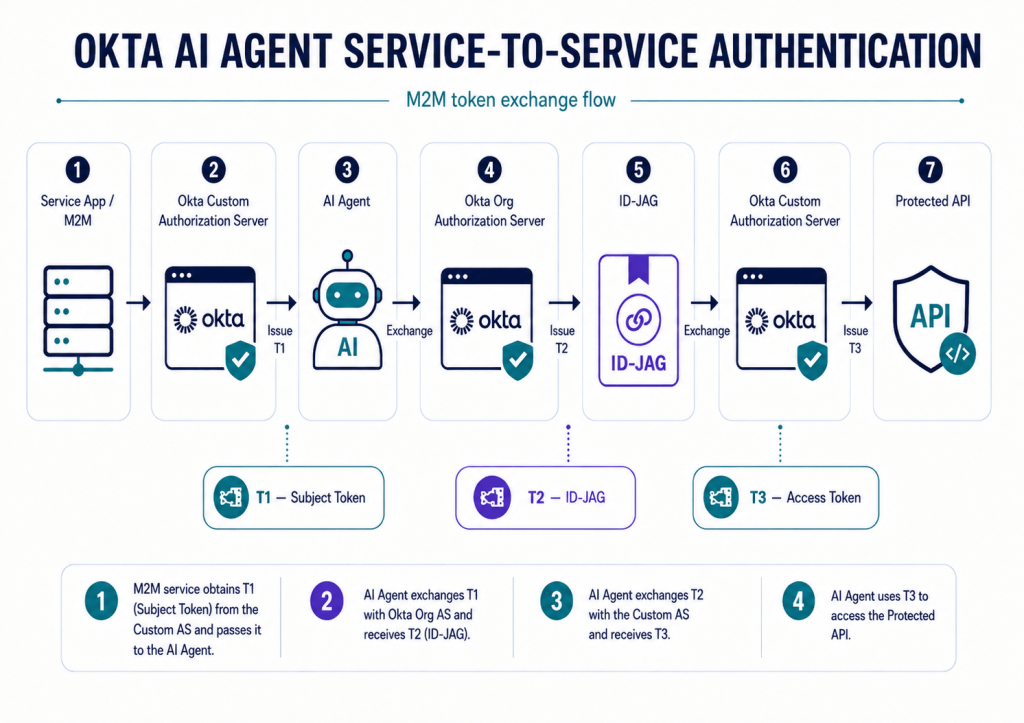
This lab demonstrates how to configure Okta for service-to-service AI Agent authentication without user context, using a machine-to-machine application, Token Exchange, ID-JAG, and a Custom Authorization Server to obtain delegated access to protected resources.
Register the AI Agent
The AI Agent is registered in Okta as a non-human identity and configured for machine-to-machine access only.
Directory > AI Agents > Register AI Agent > Register manually
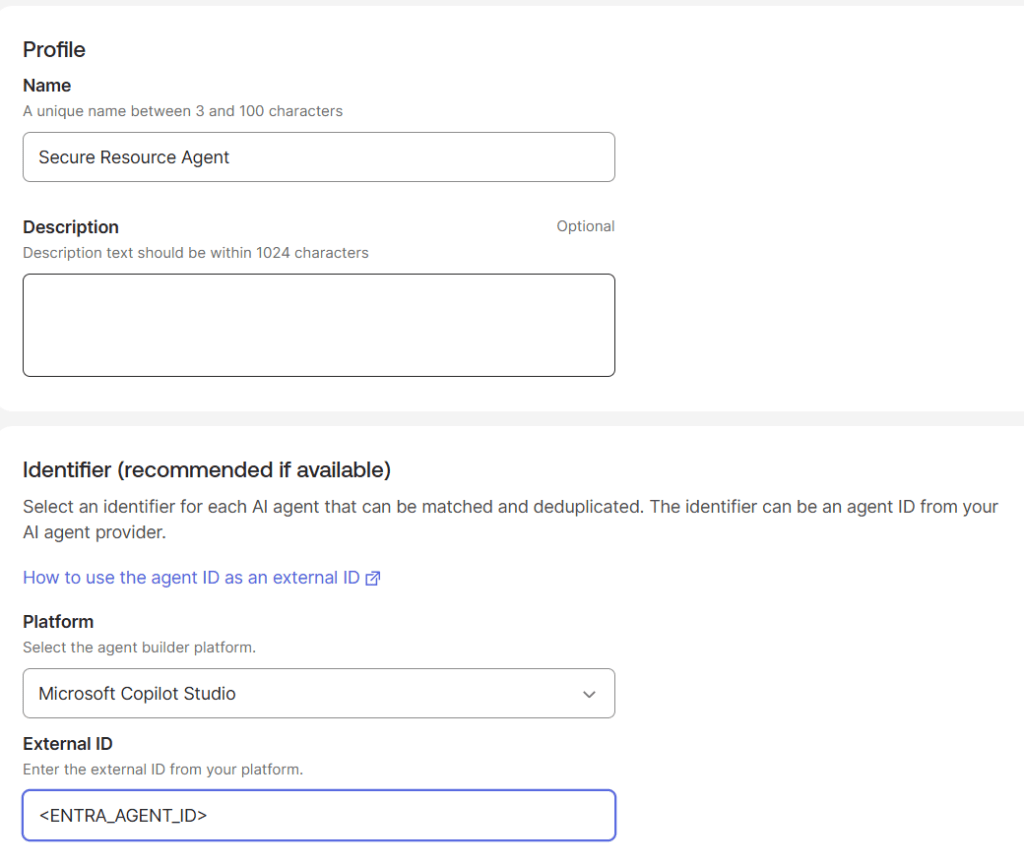
For this lab, the External ID maps the Okta AI Agent record to the Agent identity created in Microsoft Copilot Studio.
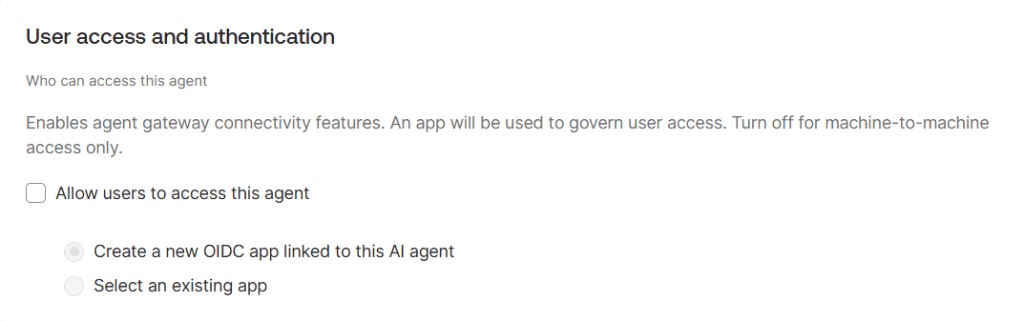
User Access
User access is disabled because this lab implements a machine-to-machine authentication pattern without interactive user context.
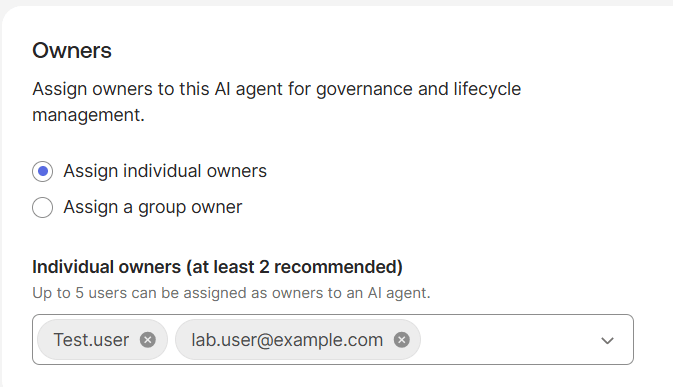
Owner
The owner provides administrative accountability for the Agent and does not participate in the OAuth authentication flow.
Configure Client Registration
Directory > AI Agents > “Secure Resource Agent” > Client registration
For this lab we used – Authentication method: Client Secret
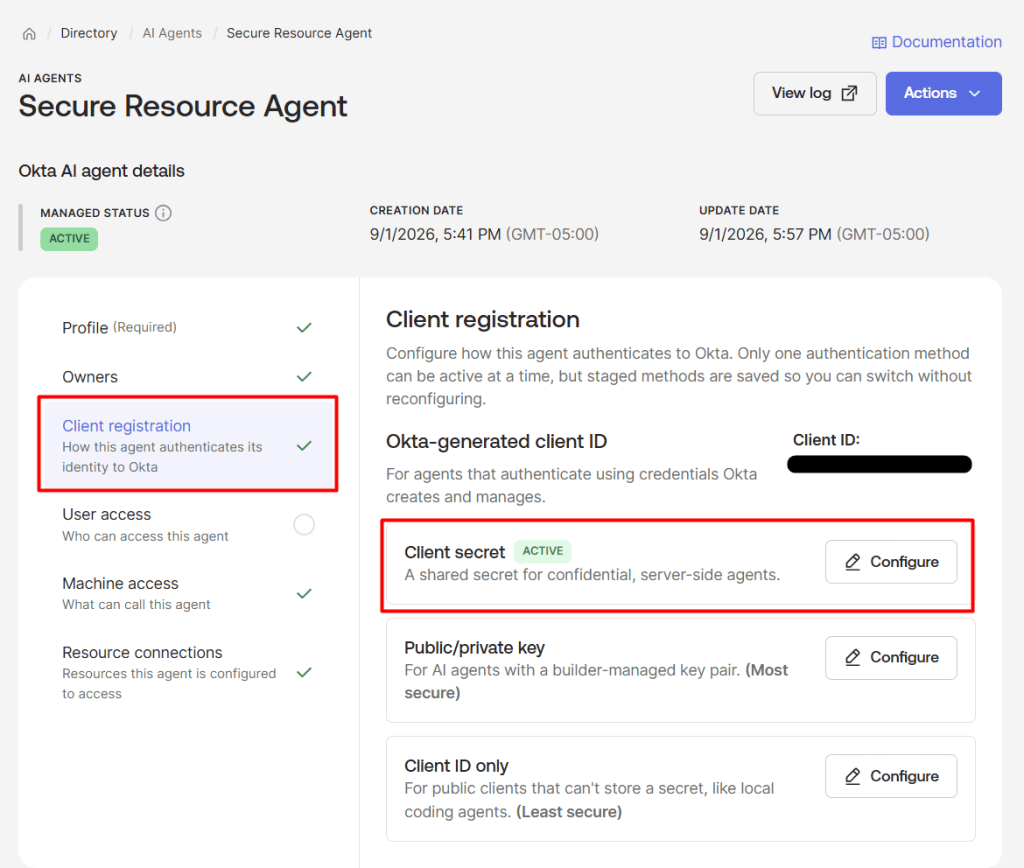
Generate a Client Secret for the AI Agent, store it securely, and activate.
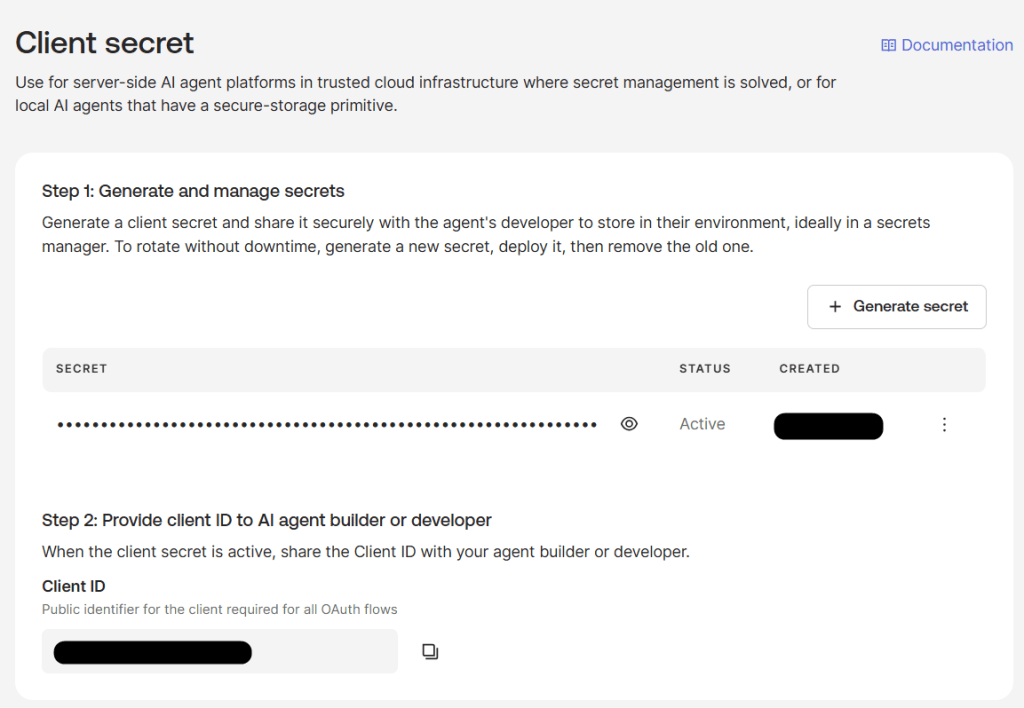
The Agent client credentials are used when the Agent authenticates to Okta during the Token Exchange and ID-JAG flow.
Create the M2M Service Application
Applications > Applications > Create App Integration > API Services
This service application represents the machine identity that initiates the AI Agent authentication flow.
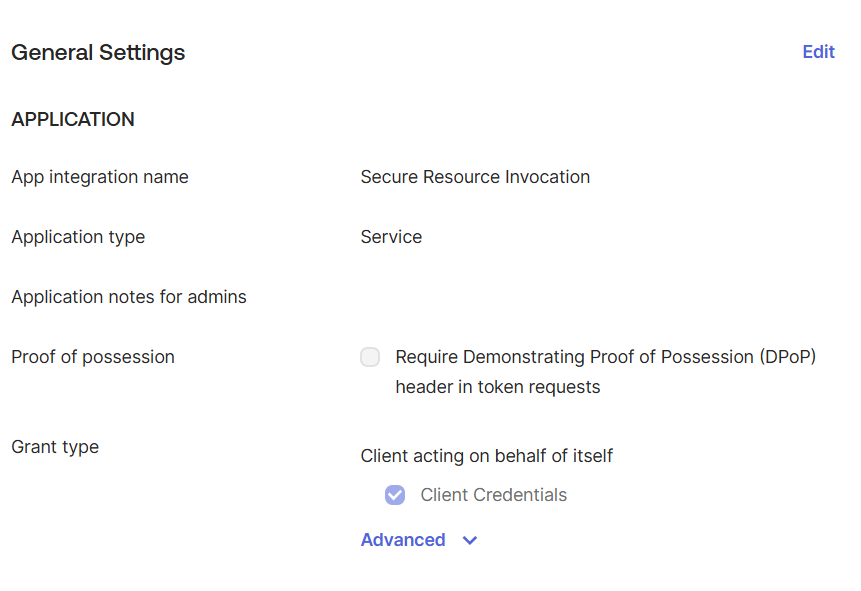
Save the Client ID and Client Secret. These credentials are used to request the initial subject token.
Configure the Custom Authorization Server
This authorization server defines the scopes, access policies, and token endpoint used throughout the service-to-service AI Agent flow.
Security > API > Add Authorization Server
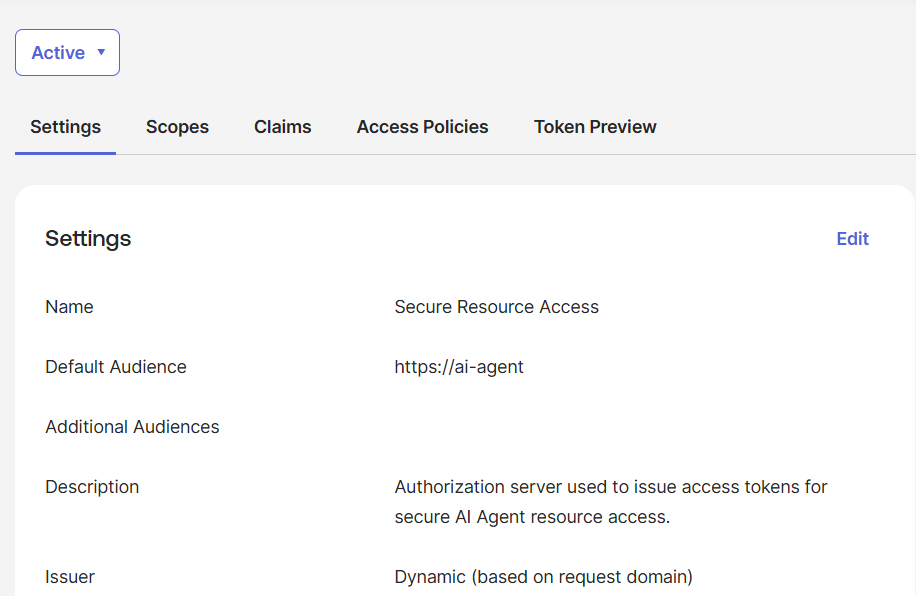
Create scopes
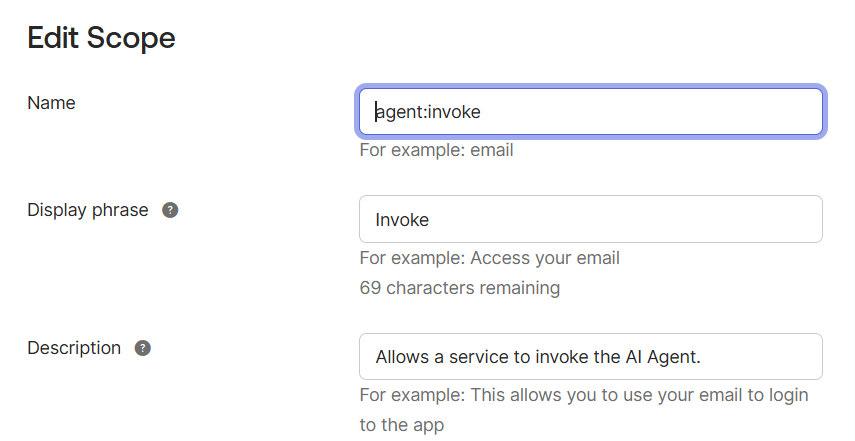
Security > API > Authorization Servers > “Secure Resource Access” > Scopes > Add Scope
This scope represents the permission the AI Agent will request and carry through the delegated token flow.
Create the M2M Access Policy
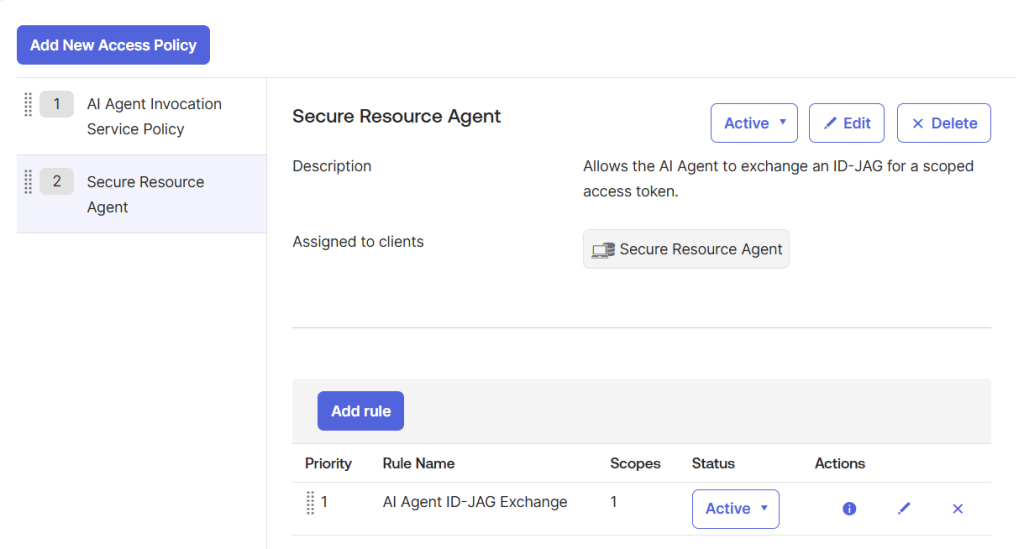
Security > API > Authorization Servers > “Secure Resource Access > Access Policies” > Add New Access Policy
This policy allows the M2M service to obtain the initial subject token using client_credentials.
Use:
Name: Secure Resource Invocation PolicyClient: Secure Resource Invocation
Then add a rule:
Rule name: M2M Client CredentialsGrant type: Client CredentialsScopes:agent:invoke
Create the AI Agent JWT Bearer Policy
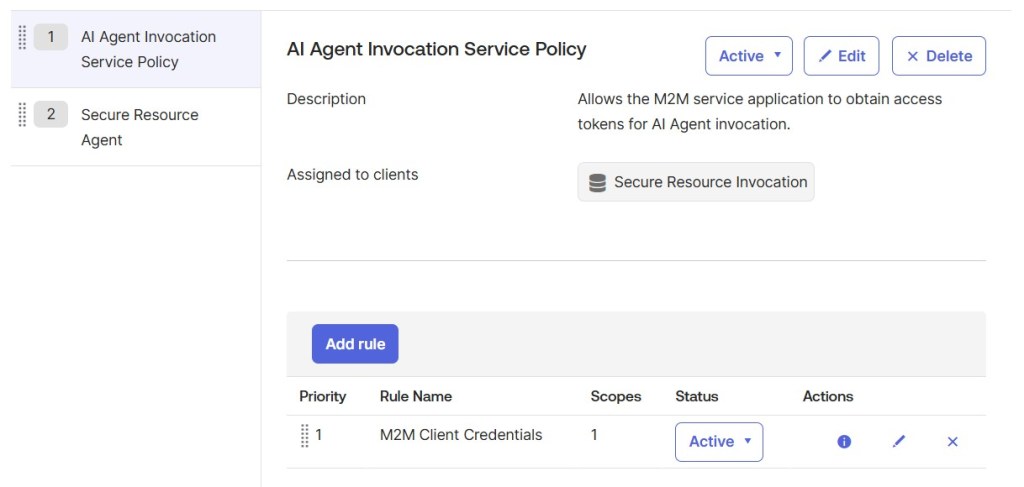
Security > API > Authorization Servers > “Secure Resource Access” > Access Policies > Add New Access Policy
This policy allows the AI Agent to exchange the ID-JAG for the final bearer token issued by the Custom Authorization Server.
Use:
Name:Secure Resource Agent PolicyClient:Secure Resource Agent
Then add a rule:
Rule name: AI Agent ID-JAG ExchangeGrant type: JWT BearerScopes:agent:invoke
AI Agent: Final Configuration
Machine access
Directory > AI Agents > “Secure Resource Agent” > Machine access > Configure
Machine Access defines which service can invoke the AI Agent and establishes the delegation relationship used for the initial subject token.
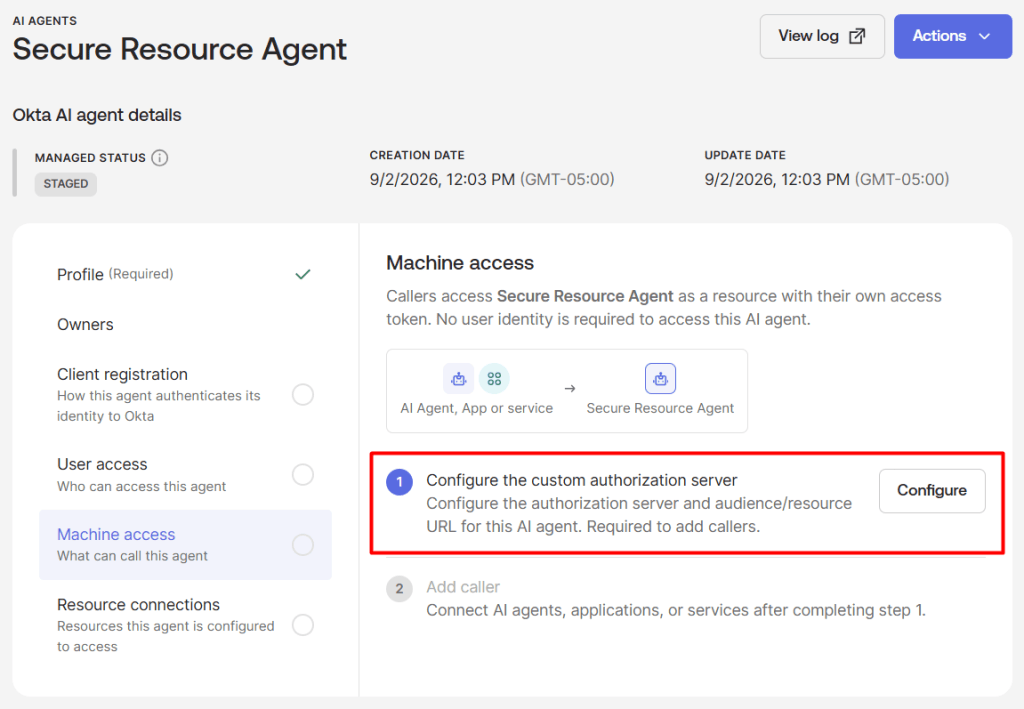
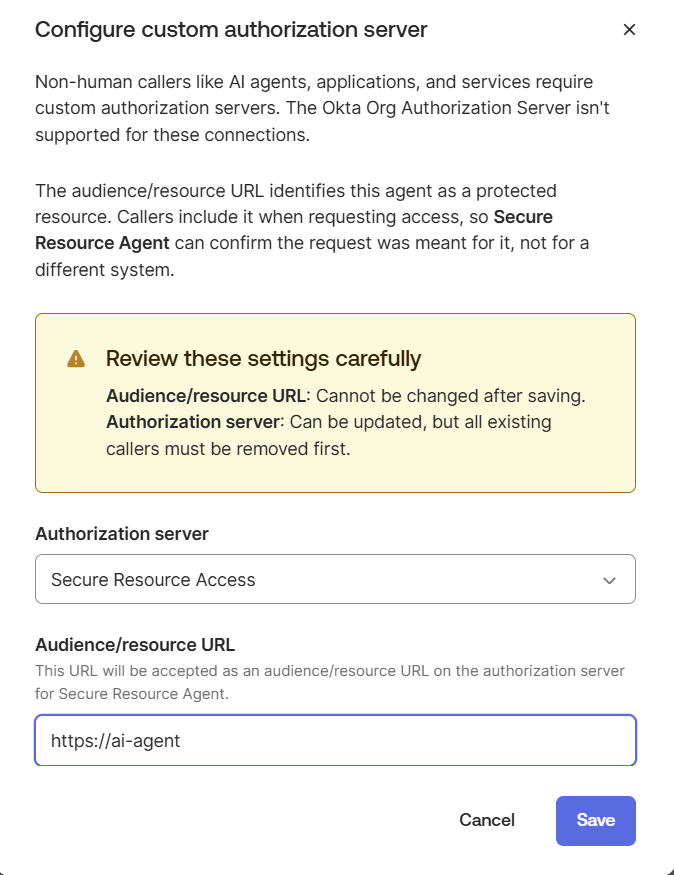
The resource URL becomes the audience for the initial M2M subject token and must match the value used in the resource parameter during client_credentials.
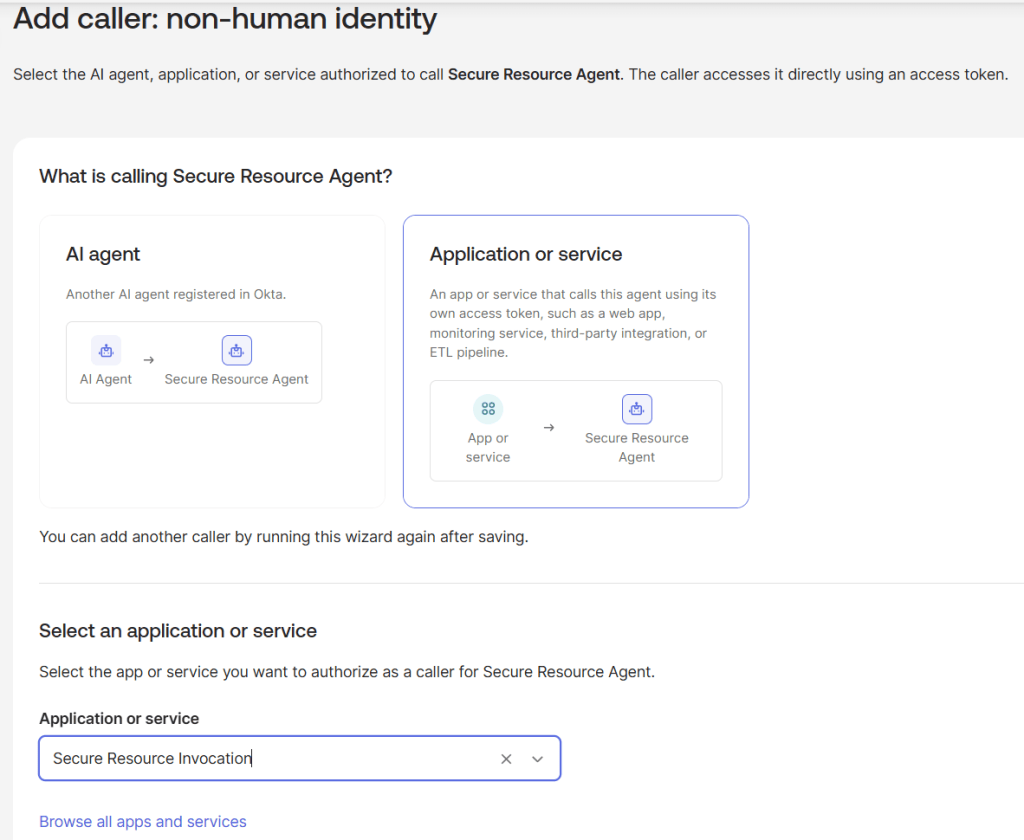
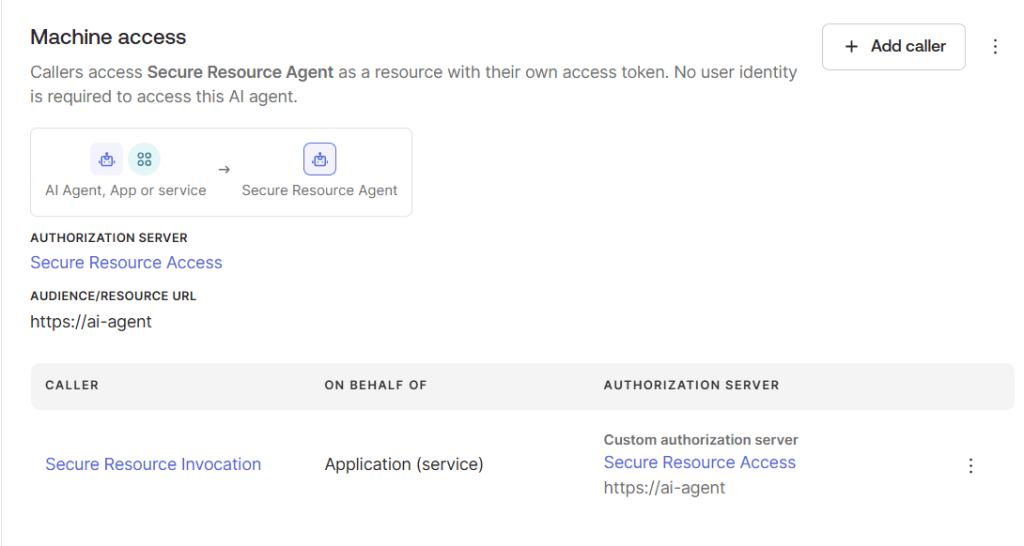
Add the M2M Caller
Adding the M2M application as a caller authorizes the service to initiate delegated access through the AI Agent.
Under Machine access, select Add caller.
Caller type: Application or serviceApplication: Secure Resource Invocation
Resource Connection
Directory > AI Agents > Secure Resource Agent > Resource connections > Add resource connection
The Resource Connection defines which protected authorization server and scopes the AI Agent can request through the delegated authentication flow.
Resource type: Authorization serverAuthorization server:Secure Resource AccessScopes:agent:invoke
Select the scopes that the AI Agent is allowed to request when exchanging the ID-JAG for access to the protected resource.
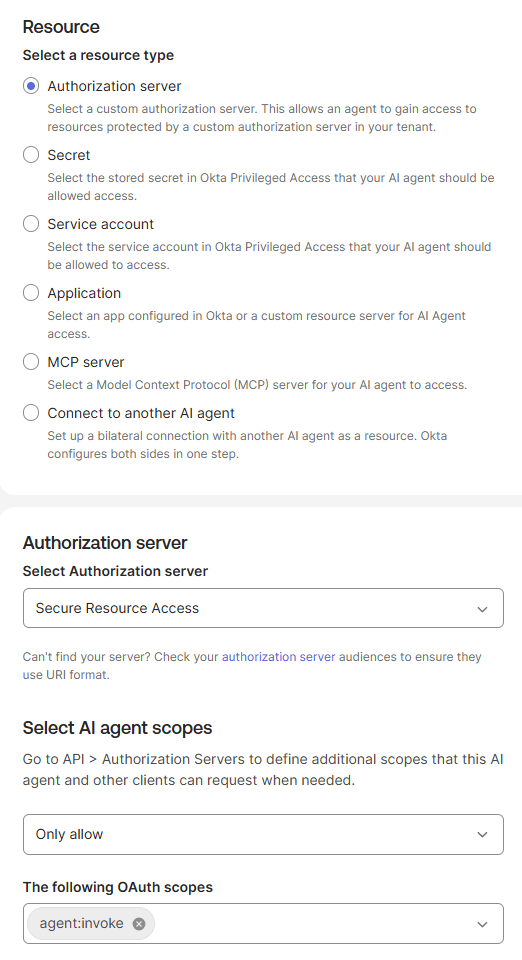
This connection authorizes the AI Agent to request agent:invoke access against the Custom Authorization Server during the ID-JAG token exchange.
Activate the AI Agent
Activate the AI Agent after its client registration, Machine Access, and Resource Connection are configured.
Test the Service-to-Service Token Flow
Request the Subject Token
curl --request POST \ --url 'https://<OKTA_DOMAIN>/oauth2/<CUSTOM_AS_ID>/v1/token' \ --user '<M2M_CLIENT_ID>:<M2M_CLIENT_SECRET>' \ --header 'Content-Type: application/x-www-form-urlencoded' \ --data-urlencode 'grant_type=client_credentials' \ --data-urlencode 'scope=agent:invoke' \ --data-urlencode 'resource=https://ai-agent'
Expected result: T1 = Subject Access Token
The M2M service first requests a subject access token from the Custom Authorization Server using the
client_credentialsgrant.
Exchange T1 for an ID-JAG
The AI Agent exchanges the initial subject token against the Okta Org Authorization Server to obtain an ID-JAG containing the delegated authorization context.
curl --request POST \ --url 'https://<OKTA_DOMAIN>/oauth2/v1/token' \ --header 'Content-Type: application/x-www-form-urlencoded' \ --data-urlencode 'grant_type=urn:ietf:params:oauth:grant-type:token-exchange' \ --data-urlencode 'client_id=<AI_AGENT_CLIENT_ID>' \ --data-urlencode 'client_secret=<AI_AGENT_CLIENT_SECRET>' \ --data-urlencode 'subject_token=<T1>' \ --data-urlencode 'subject_token_type=urn:ietf:params:oauth:token-type:access_token' \ --data-urlencode 'requested_token_type=urn:ietf:params:oauth:token-type:id-jag' \ --data-urlencode 'audience=https://<OKTA_DOMAIN>/oauth2/<CUSTOM_AS_ID>' \ --data-urlencode 'scope=agent:invoke'
The
audiencepoints to the Custom Authorization Server issuer. The Machine Accessresourceparameter used when obtaining T1 is not sent in this request.
Expected result: T2 = ID-JAG
Exchange the ID-JAG for the Final Access Token
The AI Agent presents the ID-JAG to the Custom Authorization Server using the JWT Bearer grant to obtain the final bearer access token.
curl --request POST \ --url 'https://<OKTA_DOMAIN>/oauth2/<CUSTOM_AS_ID>/v1/token' \ --header 'Content-Type: application/x-www-form-urlencoded' \ --data-urlencode 'grant_type=urn:ietf:params:oauth:grant-type:jwt-bearer' \ --data-urlencode 'client_id=<AI_AGENT_CLIENT_ID>' \ --data-urlencode 'client_secret=<AI_AGENT_CLIENT_SECRET>' \ --data-urlencode 'assertion=<ID_JAG>'
Do not send
scopein this request. The delegated scope context is already carried through the ID-JAG.
Expected result: T3 = Final Bearer Access Token
This final token is the one presented to the protected resource
Final Token and Delegation Claims
The final access token preserves both the original service identity and the AI Agent acting on its behalf.
{ "iss": "https://<OKTA_DOMAIN>/oauth2/<CUSTOM_AS_ID>", "aud": "https://ai-agent", "scp": [ "agent:invoke" ], "sub": "<M2M_CLIENT_ID>", "sub_profile": "service", "act": { "sub": "<AI_AGENT_CLIENT_ID>", "sub_profile": "ai_agent", "act": { "sub": "<M2M_CLIENT_ID>", "sub_profile": "service" } }}
The top-level
subrepresents the original M2M service, whileact.subidentifies the AI Agent as the immediate actor. The nested actor chain preserves the originating service for delegation and audit context.
This lab demonstrates a complete non-interactive AI Agent authentication pattern in Okta using client_credentials, Token Exchange, ID-JAG, and the JWT Bearer grant.
 Authentication Lab
Leave a comment