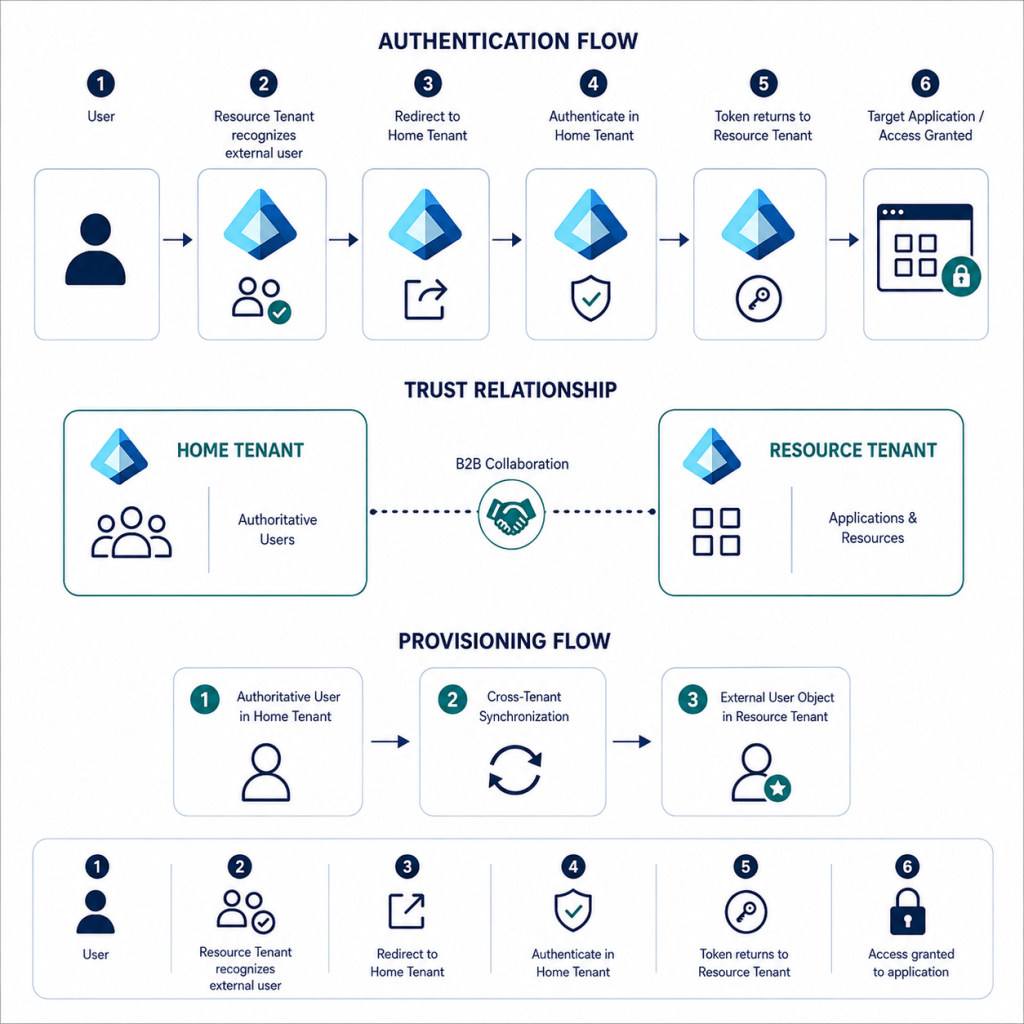
This lab demonstrates how Microsoft Entra ID B2B Collaboration and Cross-Tenant Synchronization can provide controlled access between two Microsoft Entra environments
The implementation covers trust configuration, user synchronization, attribute mapping, authentication flow, provisioning validation, and sign-in troubleshooting.
Configure the Target Tenant
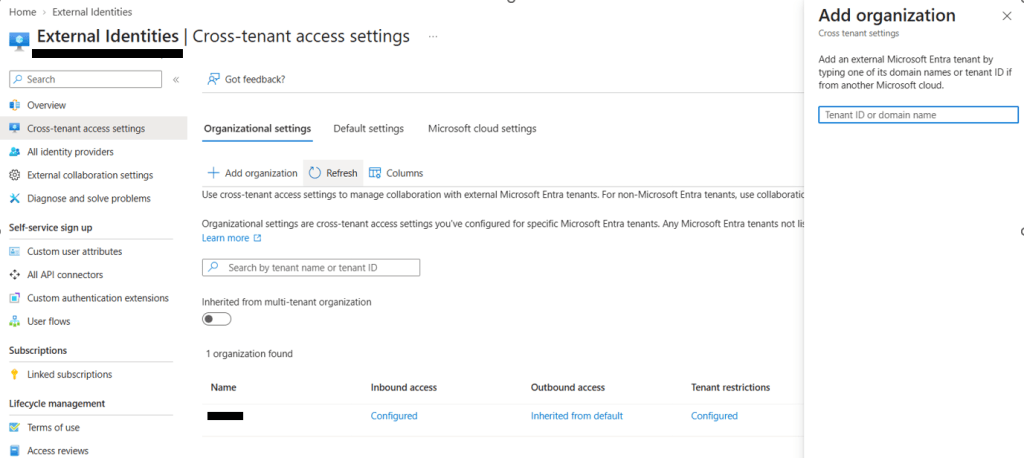
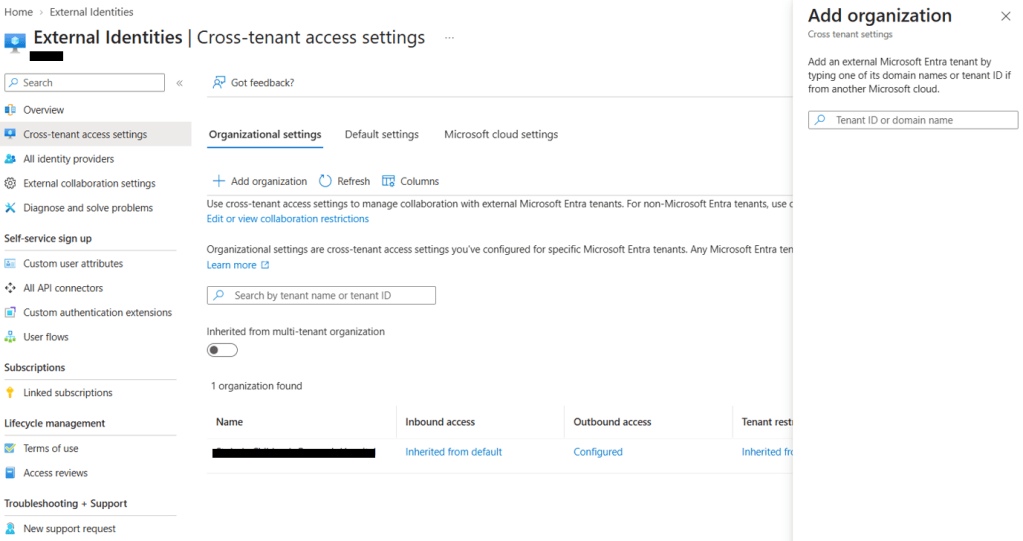
Add Source Tenant as an organization
The target tenant must first establish trust with the source tenant and allow inbound cross-tenant access.
External Identities > Cross-tenant access settings > Organizational settings.
Enter Target tenant ID or verified domain, then add the organization.
Configure Inbound B2B Collaboration
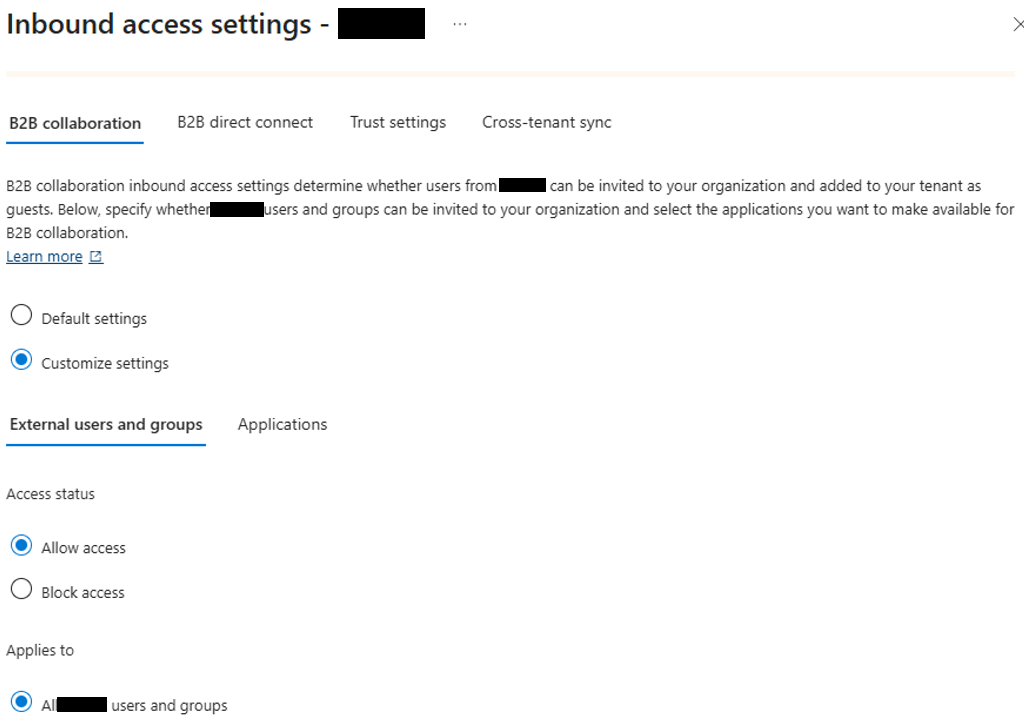
Configure inbound access so approved users from the source tenant can participate in B2B collaboration with the target tenant.
Open Inbound access > B2B collaboration.
Configure Inbound Trust Settings
Enable trust settings to control how authentication claims from the source tenant are accepted by the target tenant.
Open Inbound access > Trust settings for the source organization entry.

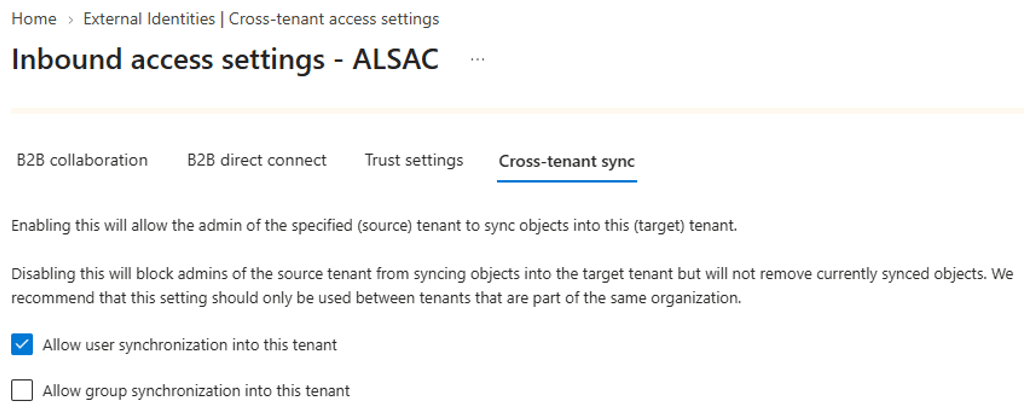
Enable Cross-Tenant Synchronization
Allow the source tenant to synchronize external user objects into the target tenant.
Configure the Source Tenant
The source tenant controls which users can be synchronized and which target resources they are allowed to access.
External Identities > Cross-tenant access settings > Organizational settings.
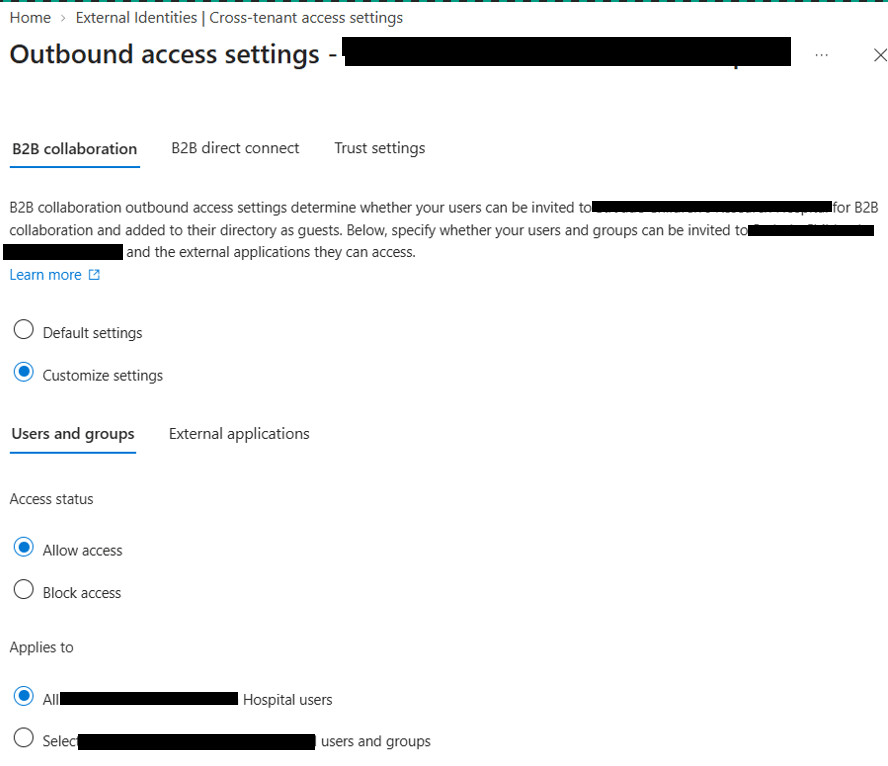
Configure Outbound B2B Collaboration
Allow approved users in the source tenant to access applications in the target tenant through outbound B2B collaboration.
Outbound access > B2B collaboration > Customize settings
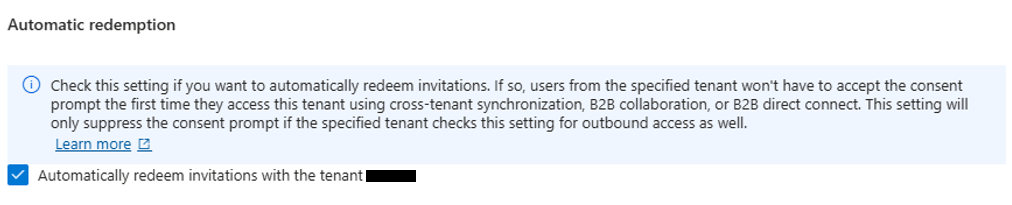
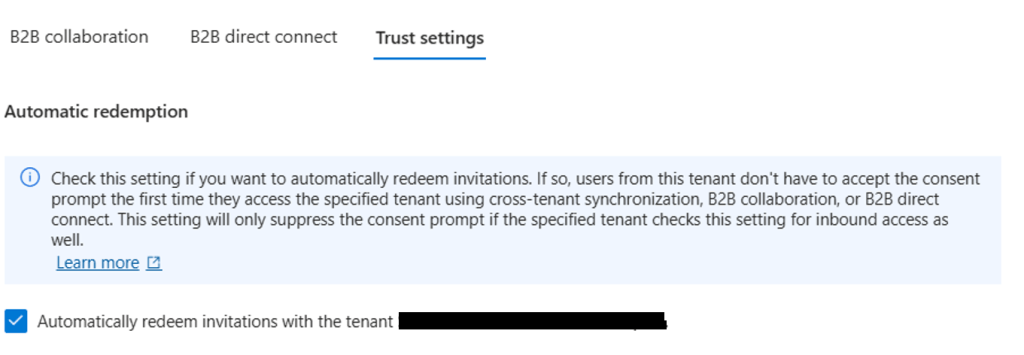
Configure Automatic Redemption
Enable automatic redemption so users can move between the trusted tenants without the first-time B2B consent prompt.
Outbound access > Trust settings
Create the Cross-Tenant Synchronization Configuration
Create a synchronization configuration in the source tenant to provision selected users into the target tenant.
Open Cross-tenant synchronization > Configurations
Name the configuration using a predictable convention, for example Sync_To_TargetTenant
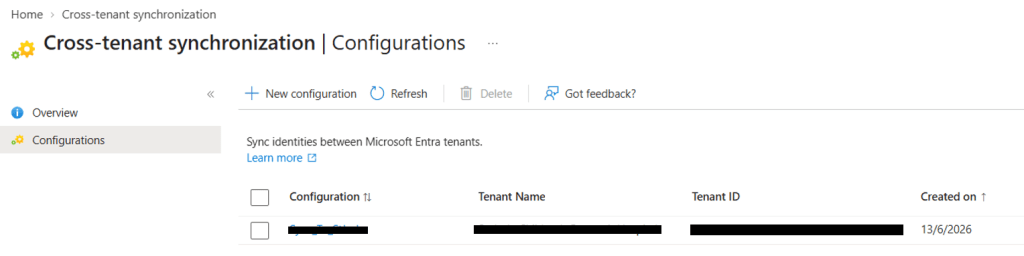
Configure Provisioning Credentials
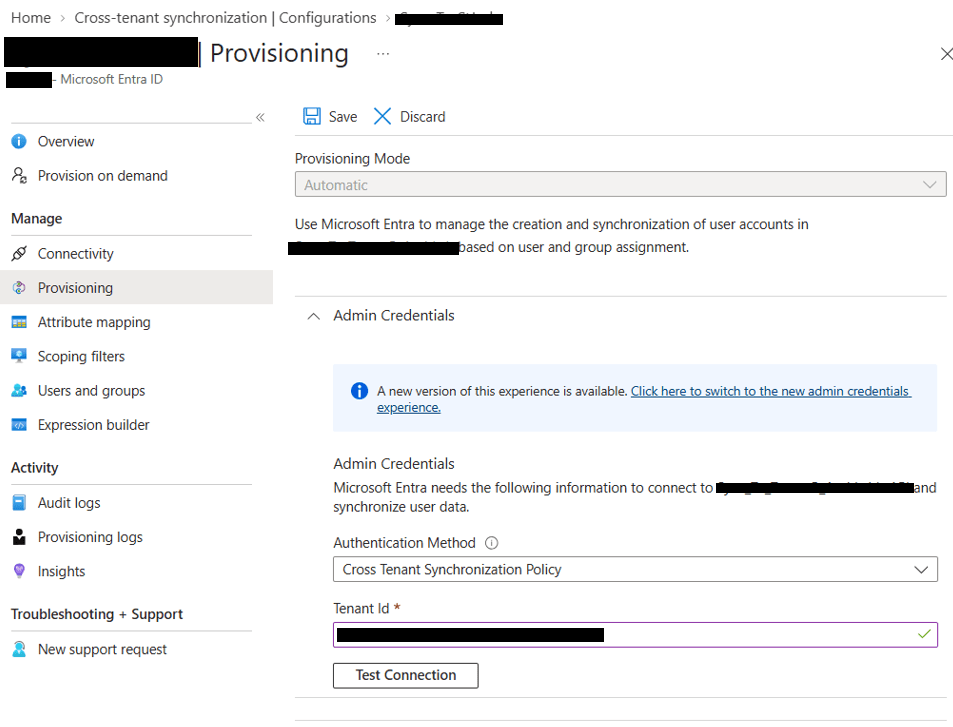
Configure automatic provisioning and connect the synchronization configuration to the target tenant
Open the new cross-tenant synchronization configuration.
Go to Provisioning > Get started
Set Provisioning Mode to Automatic. Under Admin Credentials, set Authentication Method to Cross Tenant Synchronization Policy
Enter the target Tenant ID in the Tenant ID field.
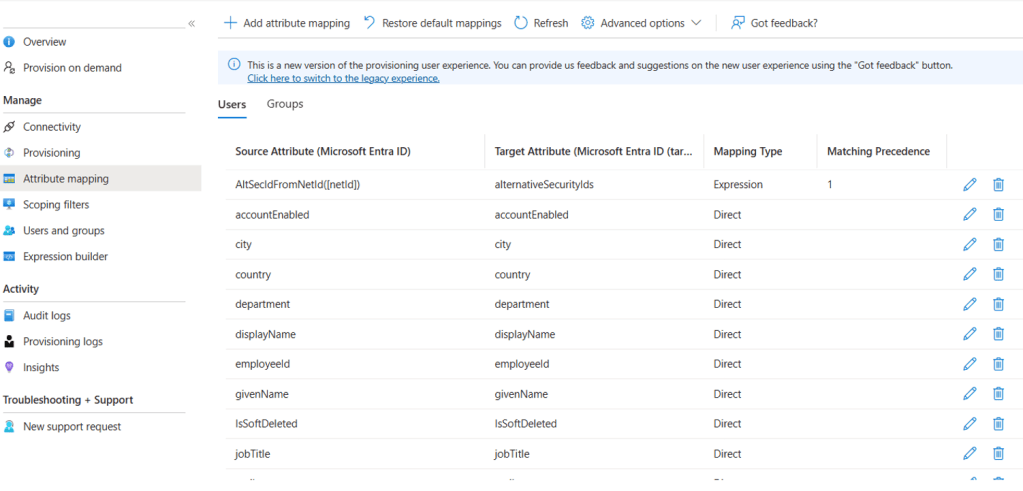
Review Attribute Mapping
Review the default attribute mappings to confirm how source user attributes are written to the external user object in the target tenant.
Choose the User Type
Define whether synchronized users should appear in the target tenant as external Members or Guests based on the collaboration model.
| Mapping | Result in Target | Recommended use |
| userType -> Member | Creates an external member object. | Useful for tightly managed multi-tenant environments where users are treated similarly to internal users. |
| userType -> Guest | Creates an external guest object. | Recommended for standard partner/external collaboration models. |
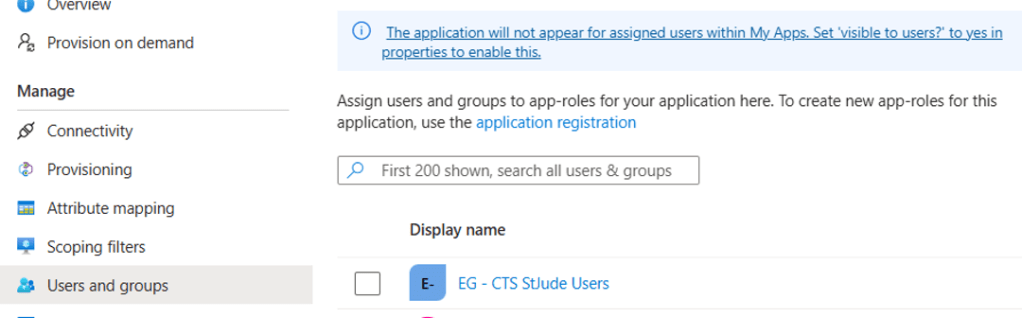
Assign Users and Groups for Synchronization
Assign only the approved users or groups that should be synchronized into the target tenant.
Run Initial Provisioning
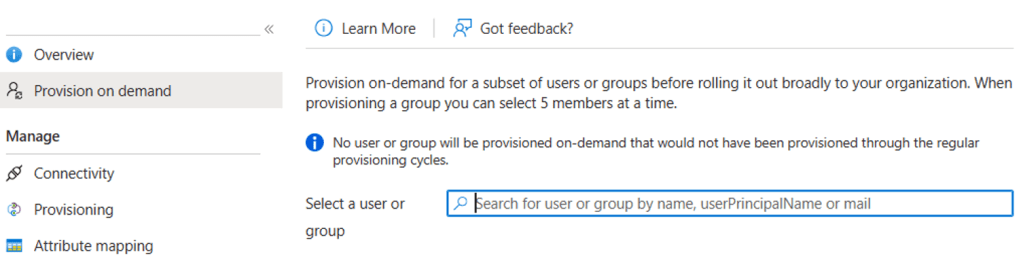
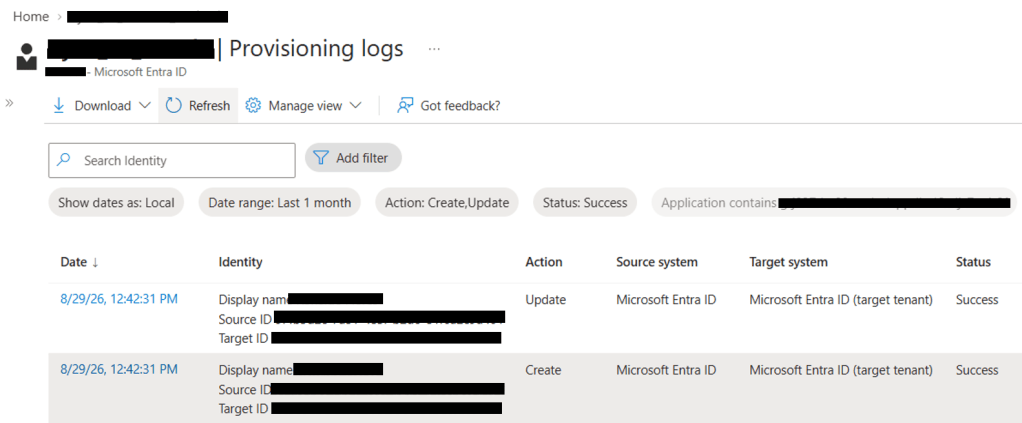
Run provisioning on demand to validate that the selected user is successfully created or updated in the target tenant.
- Create indicates that a new external user object was created in target
- Update indicates that changes were exported to an existing target user object.
- RedundantExport means the source and target already match and no update was required.
Review synchronization status
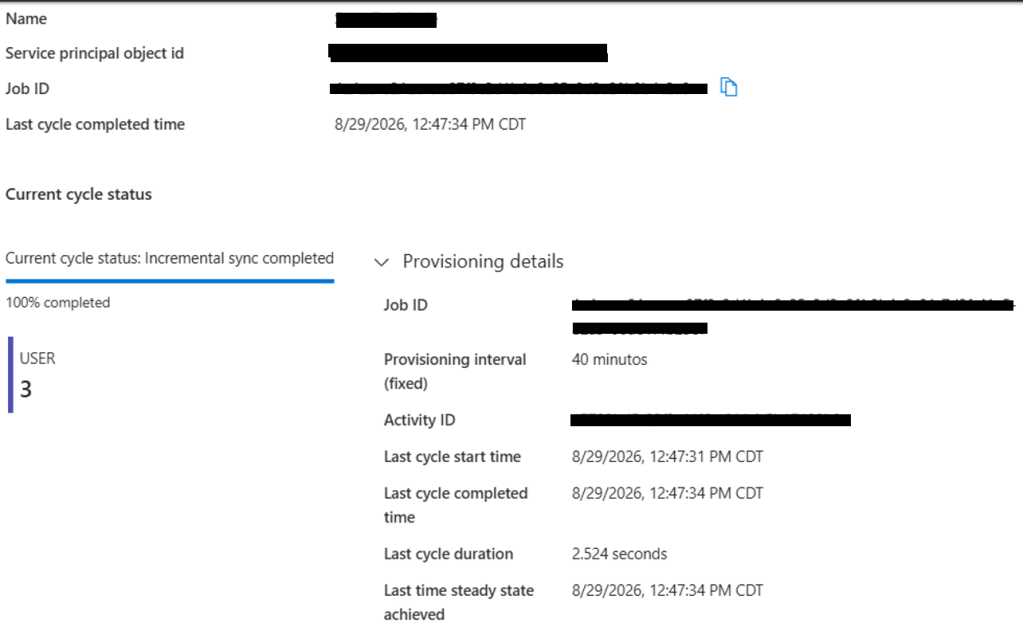
Open Cross-tenant synchronization > Overview
User Sign-In
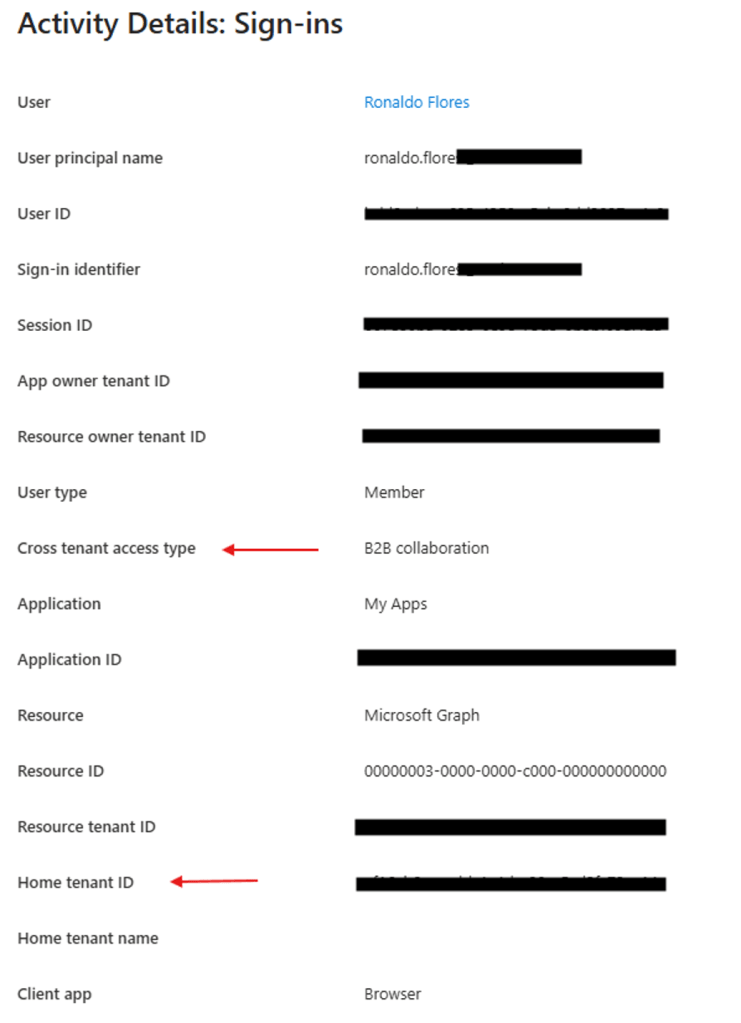
Test the synchronized user from a clean browser session to confirm that authentication is redirected through the source tenant

This lab demonstrates practical experience with Microsoft Entra ID B2B collaboration, cross-tenant synchronization, federated authentication, identity lifecycle management, and end-to-end access validation across tenant boundaries.
 Authentication Lab